Give your agents direction.
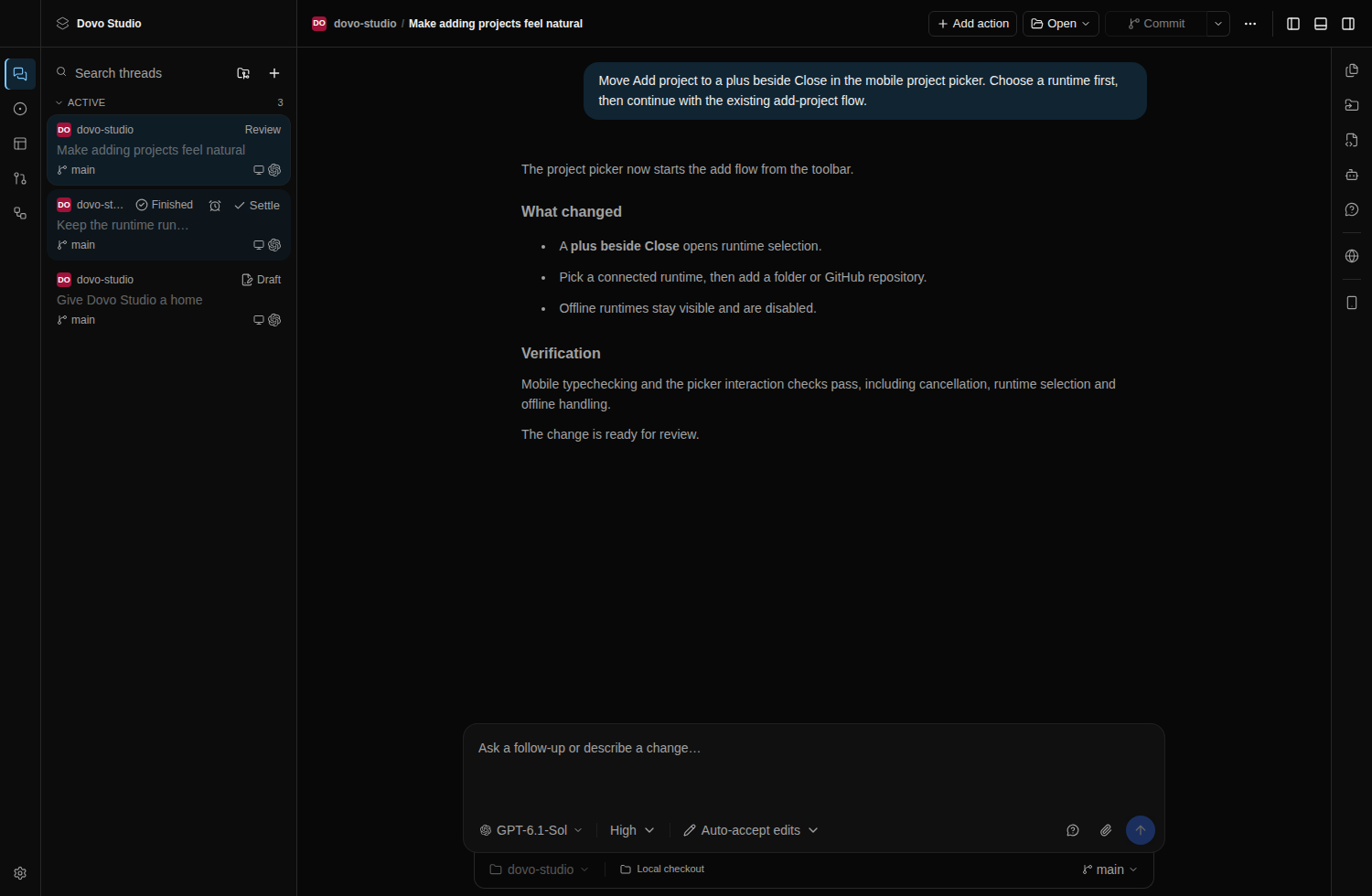
Run agents against your projects. Follow streamed progress, answer questions and review approvals without losing the conversation.
Agents & threads Dovo Studio
THE WORKSPACE FOR CODING AGENTS
From the first idea to the final diff. Bring your agents, code and automations into one workspace. Keep every decision in your hands.
macOS / Windows / Linux
BUILT AROUND YOUR CONTROL
The speed of coding agents. The clarity of a single workspace. The freedom to run it all on your own machine. You decide what happens next.
Take a look inside01 / THE WORKSPACE
From the first idea to the final diff, keep the context close to the work.
Run agents against your projects. Follow streamed progress, answer questions and review approvals without losing the conversation.
Agents & threadsReview diffs, work with branches and worktrees, browse pull requests and open a real terminal on your host.
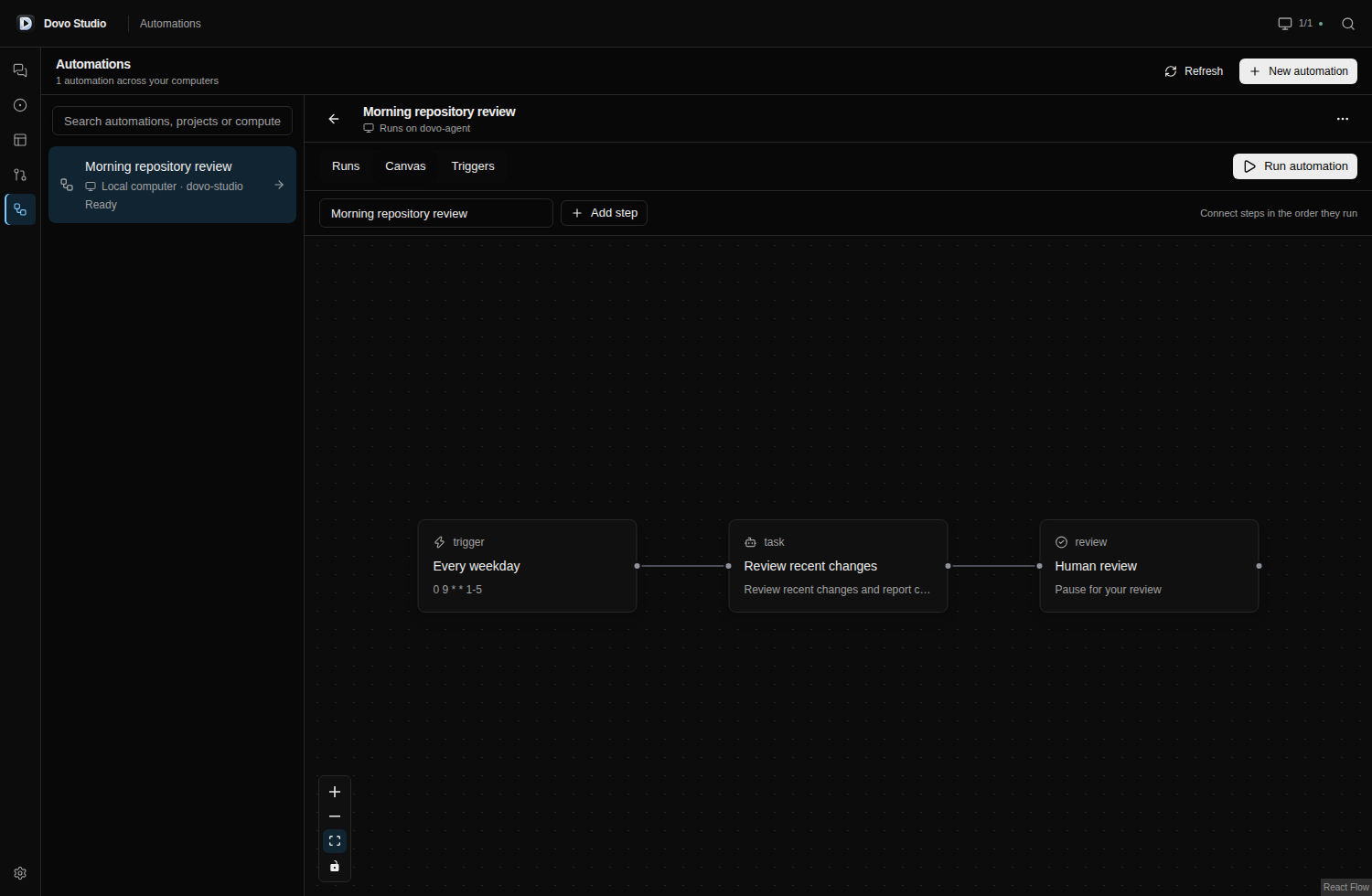
Git & terminalsBuild automations with schedules, webhooks and task runs. Keep human review in the loop where it matters.
Jobs & automationsIN YOUR ELEMENT
Give each idea its own thread. Follow your agents as they work, answer questions and keep the conversation connected to your project.
02 / AUTOMATIONS
Connect schedules, agent tasks and review steps in the actual automation editor.
FROM FIRST THREAD TO FULL FLEET
Your ambition grows. Your workspace grows with it. Follow the journey from a single conversation to a coordinated fleet.
01 / FLEET EVOLUTION
One idea. One agent. Work through the API, then the interface, then the review — one thread at a time.
Build the endpoint
Illustrated workflow · Use the stages to explore at your own pace.
03 / LOCAL AT THE CORE
Your runtime keeps projects, agent credentials and workspace data on your computer or server. Connect directly over your LAN, Tailscale or NetBird, with optional HTTPS.
How it fits togetherDirect connection. Pairing required.
No Dovo account needed.
MOBILE, IN PROGRESS
The native iPhone app is being built. Developers can install a local build using a Mac, Xcode and their Apple signing setup.
Local iPhone build instructions ↗Android is coming next. There’s no public Android download yet.
YOUR SERVER. ONE COMMAND.
Run this on your Linux host as your normal user. It installs the latest release, starts a background service and prints a pairing code.
bash -o pipefail -c 'curl -fsSL https://raw.githubusercontent.com/dovocode/dovo-studio/main/scripts/install-linux-server.sh | bash -s -- --channel stable --host 0.0.0.0 && "$HOME/.local/bin/dovo-server" pair'Linux x64 or ARM64 with glibc, Bash, curl, jq, tar, sha256sum and a running systemd user manager. Choose one release channel per host. Nightly is a prerelease.
Codes expire after two minutes and work once. For each additional device, generate a fresh code on the host: ~/.local/bin/dovo-server pair.
HTTP works on LAN, Tailscale and NetBird; HTTPS is optional. Each device needs pairing and gets its own device token. No Dovo account required.
Full server guide, other platforms & updates ↗A personal workspace that brings coding agent conversations, projects, Git, terminals and automations together. Run the runtime on your computer or server and connect from desktop or web.
Yes. Work with Codex, Claude, OpenCode and compatible ACP agents. Agent credentials stay with your runtime; provider subscriptions and usage are managed with your chosen provider.
No. Connect directly to your runtime with a pairing code. Each paired device receives its own token. Your projects and workspace data stay on your computer or server.
Yes. Run the runtime on your server and connect over your LAN, Tailscale or NetBird. HTTP is supported and HTTPS is optional. See the server setup above to get started.
The iPhone app is work in progress and currently requires a local build with a Mac and Xcode. Android is coming soon. Desktop downloads are available for macOS, Windows and Linux.
YOUR NEXT CHAPTER STARTS HERE
Open your project. Pick your agent. Get to work.
Download Dovo Studio